


Weighing Indicator Explained: Signal Path, Types and Selection
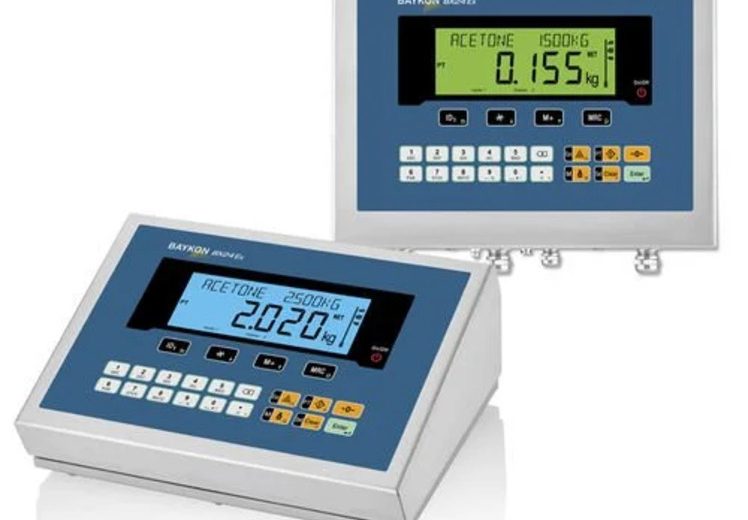
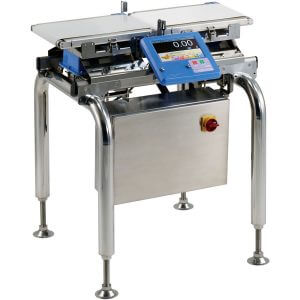
A weighing indicator converts the electrical signal produced by a load cell into a weight value that operators and control systems act on. The load cell sits under the platform and deforms under load; the indicator excites it, reads the millivolt signal that returns, digitises it, corrects it for tare and non-linearity, and shows the result. What the indicator does after that decides its class. Some drive a relay when a target weight is reached, some classify packs as over or under a limit, some hold batching formulas, and some carry the legal approval needed when goods are sold by weight. Two specifications govern the rest: the resolution the converter reaches, and the protection rating the housing carries into the environment it works in.
A Weighing Indicator Turns a Load Cell Signal Into a Displayed Weight
A weighing indicator is an electronic device that receives, processes and outputs the weight signal generated by a load cell. Suppliers across the market use three names for the same instrument: weighing indicator, weight indicator and scale indicator, and the three are interchangeable in catalogues. One supplier adds a fourth, describing it as a weighing scale display.
Contrary to a common purchasing assumption, the indicator does not set the accuracy of a weighing system. The load cells and the platform generate the measurement, and the indicator resolves and interprets it – an indicator cannot recover precision that the cells never produced.
The platform is the other half of the instrument. It is the basework the object rests on, and it houses the load cells that detect the force and send data onward. Neither half weighs anything alone.
One scale manufacturer’s definition is the most mechanical of the four: a device that turns the electric signals caused by distortions in the base’s load cells into something a user can read. That phrasing matters because it locates the measurement in the platform and the interpretation in the indicator – a division that governs everything from calibration to legal approval.
Interpretation is the part worth opening up, because it happens in stages and each stage limits what the indicator can report.
A Weighing Indicator Turns a Load Cell Signal Into a Displayed Weight
The Signal Path Runs From Millivolts to a Displayed Number
The signal path runs through six stages, in industrial weighing systems, and each stage caps a different specification. A manufacturer’s technical description of indicator architecture names them: signal input, analog-to-digital conversion, microprocessor, display and operation interface, output control, and power supply.
The stages are sequential, so the weakest one sets the ceiling for the whole indicator. A 24-bit converter behind a noisy input stage resolves noise very precisely.
Excitation and Signal Input
Excitation and signal input are the first thing the indicator does, not the last. It sends a current through the load cell and monitors the signal that returns, which is why the input specification is written in millivolts rather than volts.
One OEM indicator manual states the supply side exactly: 10 VDC ±5% at 230 mA, enough to drive up to eight 350-ohm load cells in parallel.
The arithmetic behind that window is worth following. A strain gauge bridge rated at 1.5 mV/V and excited at 10 VDC delivers 15 mV (0.015 V / 15,000 µV) at full load, which fits inside the 0–20 mV input range quoted by two independent manufacturers and well under the 32 mV (3.2 mV/V) ceiling one panel-mount indicator manual specifies.
The weight an operator reads is therefore a scaled interpretation of a signal roughly a thousand times smaller than the supply feeding the load cell. That ratio is why shielded cable, not ordinary cable, runs between platform and indicator.
Analog-to-Digital Conversion Sets the Resolution Ceiling
Analog-to-digital conversion turns the amplified millivolt signal into counts, and the bit depth of that converter fixes the finest weight division the instrument resolves. Converters in this class run 16-bit to 24-bit; a 24-bit converter divides full scale into 2²⁴ steps, roughly 16 million.
Internal counts and displayed divisions are two different numbers, and indicator buyers routinely read the second as though it were the first. An OEM instruction manual states the gap plainly: internal resolution of approximately 1/1,000,000 against a maximum display resolution of 16,000 divisions.
The internal figure governs how finely the indicator can make a control decision. The displayed figure governs what the operator sees.
Conversion rate is the third indicator variable, and two independent sources land on the same figure: 100 samples per second, published once in a product manual and once in supplier literature. A general architecture description gives 10 to 100 conversions per second, with high-speed applications exceeding 1,000 Hz (1,000 readings per second).
Two further figures from the same indicator manual set the noise floor: input sensitivity of 0.3 µV per division, and non-linearity held to ±0.01% of full scale.
Filtering, Tare and Linearisation Clean the Number
Filtering, tare and linearisation clean the number in that order – filtering before conversion, tare and linearisation after it – and both exist because a raw bridge signal carries vibration and electromagnetic noise alongside the weight. Three techniques appear in the same technical description: hardware RC filtering, digital moving-average filtering, and adaptive filtering.
Moving-average filtering works by spending readings. More samples averaged means a steadier weight and a longer settling time, which is invisible on a bench and expensive on a moving line.
One indicator implements this as two digital filters in series with a cutoff frequency range of 0.7 to 11 Hz, so the operator tunes vibration rejection against response time rather than accepting one fixed setting.
After conversion the indicator’s microprocessor performs four corrections: zero and tare deduction, linearisation against the sensor’s non-linear error, unit conversion, and dynamic compensation for vibration or material flow.
Zero-tracking automates the first of those, so operators do not re-zero the indicator between repetitive weighings. Its two settings are the tracking time and the tracking width, adjustable across 0.0 to 5.0 seconds and 0.0 to 4.5 divisions in one published example.
A stability marker completes the pair, illuminating once weight fluctuation per sampling stays inside a set width for a set time.
Output Turns the Weight Into an Instruction
Output turns the weight into an instruction, which is where a weighing instrument stops being only an instrument. The weight leaves the indicator as three kinds of instruction: a relay contact for switch control, a 4–20 mA (0.004–0.02 A) or 0–10 V analog value for a PLC, and a digital message over a protocol such as Modbus or Ethernet.
Each output type carries a different action. A relay closes a filling valve at target weight. An analog value becomes a process variable in a control loop. A digital message becomes a logged record in a SCADA system, which is where weighing joins the rest of the smart manufacturing stack rather than sitting beside it.
Those three destinations only exist once the signal has been converted – and the conversion itself depends on which type of load cell is feeding the indicator.
Analog and Digital Load Cells Reach the Indicator Differently
Analog and digital load cells differ in the location of the conversion, not in the number the operator reads. Two suppliers describe both paths in the same terms.
The contrast between the two load cell paths is set out below.
| Stage | Analog load cell | Digital load cell |
| Excitation | Indicator sends current through the cell | Cell is powered and digitises locally |
| Signal returning | Millivolt-level analog signal | Weight data already in digital form |
| Conversion location | Inside the indicator | Inside the cell or sensor head |
| Transmission | Shielded analog cable | RS-232, RS-485 or wireless |
| Indicator’s remaining job | Amplify, convert, correct, display, distribute | Receive, display, distribute |
Strain gauge indicators are not restricted to weight either. One supplier’s unit for strain gauge sensors supports load, pressure, torque and tension measurement from the same input stage, because all four arrive as the same millivolt signal.
With an analog cell the indicator owns the amplification and the conversion. With a digital cell that electronics has already run at the cell, and the indicator’s role narrows to receiving a number and moving it onward.
The practical consequence is a maintenance one. A digital system localises a drift problem to a single addressable cell; an analog system presents one summed signal, and isolating a failing cell in a four-cell platform becomes a corner-load test rather than a data query.
Both paths terminate at the same front panel, and behind that panel the same six elements appear in almost every indicator on the market.
Six Hardware Elements Sit Behind the Front Panel
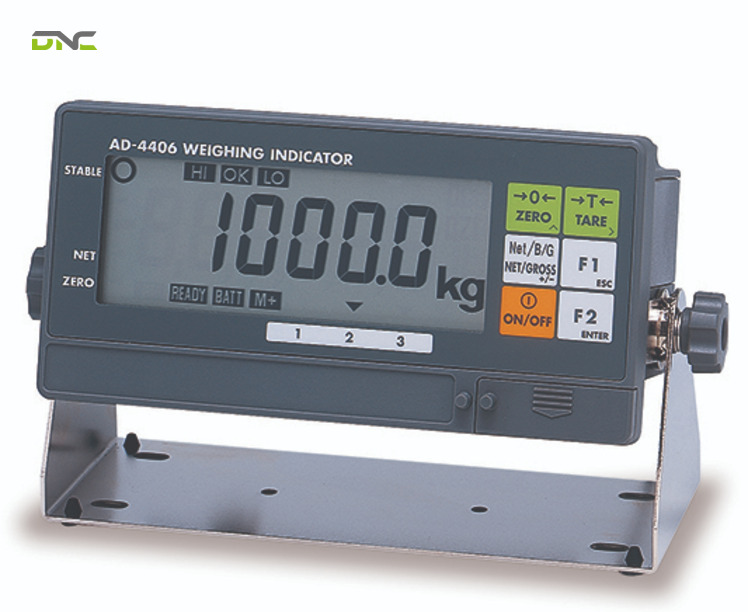
Six hardware elements sit behind the front panel of a general-purpose indicator, and each one limits a different part of the specification. Three suppliers list them in near-identical terms, which makes this the most settled description in the whole category.
The six indicator elements and their constraints are set out in the table below.
| Element | Function | What it constrains |
| Display | Shows the live weight value | Readability in the ambient light of the site |
| Keypad, touchscreen or navigation buttons | Parameter entry and sample input | Whether free sample sizes can be entered |
| Power source | Mains, AC adaptor or internal battery | Whether the unit can leave a wall socket |
| Communication port | Serial, network or wireless data path | What downstream system can receive the weight |
| Mounting hardware | Desk stand, wall bracket or panel cut-out | Distance between platform and reading position |
| Signal input terminal | Connection to the load cell or junction box | Which cell types the indicator accepts |
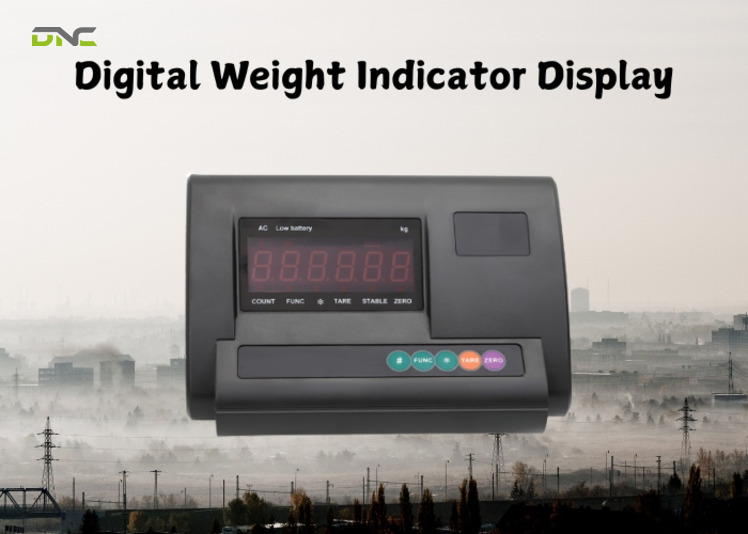
The indicator’s operation interface splits along the same line as the housing: sealed units favour touch-sensitive capacitive keys for waterproofing, while panel-mount units keep mechanical keys and a thumbwheel switch for setpoint entry.
Input terminals deserve more attention than they usually get during procurement. An indicator with a fixed input range accepts only cells whose full-scale output falls inside it, and that compatibility question is settled before capacity or feature lists matter at all.
Housing sits around all six and belongs to the environment rather than to the electronics – which is why one class of indicator is defined by its housing while every other class is defined by its firmware.
Six Hardware Elements Sit Behind the Front Panel
Indicator Classes Are Named After the Line Job
Indicator classes are named after the job the instrument does on the line, not after the hardware inside it. Three published taxonomies overlap without matching: one supplier lists six types, another five, a third four. Reconciled, nine classes appear.
The nine indicator classes and the job that selects each are listed below.
| Class | Selecting job | Defining element |
| General-purpose | Read a weight and tare it | Display, tare, zero, unit conversion |
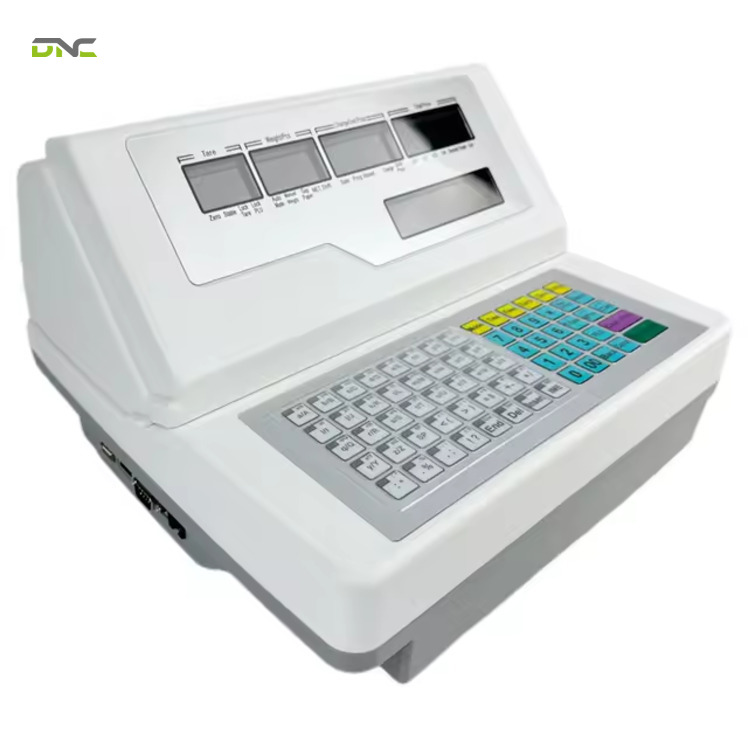
| Counting | Convert weight into piece count | Full numeric keypad |
| Checkweighing | Classify against preset limits | Comparator with visual and audible alerts |
| Batching | Dose ingredients to a formula | Stored formulas and dispensing triggers |
| Label-printing | Weigh and label in one action | Built-in printer |
| Washdown | Survive cleaning regimes | Sealed stainless housing, IP rating |
| Portable | Weigh away from a fixed station | Battery power, rugged casing |
| Remote display | Show the weight at a distance | Large-format screen, no input duties |
| Intrinsically safe | Work in a hazardous atmosphere | Energy-limited or explosion-proof design |
Four of these indicator classes carry enough published detail to be specified rather than merely named.
Counting Indicators Are a Keypad Decision
Counting indicators are separated from ordinary indicators by their input method, not by their counting arithmetic. Nearly every indicator counts; the dedicated class adds a full numeric keypad.
That keypad changes what sample sizes are available. Standard indicators offer preset samples derived from multiples of five, while counting indicators accept any number within capacity – 14 pieces, or 137. Dedicated units add parts-counting optimisation, which refines the stored unit weight as more pieces go on the platform, so a 15.78-gram component is counted from a progressively better estimate.
Checkweighing Indicators Classify Against Preset Limits
Checkweighing indicators sort each sample into over, under or within a preset weight band. Two suppliers describe the same signalling method: LED lamps or a colour-changing display for the visual verdict, and an audible alarm when a limit is reached.
The audible channel exists so operators do not watch the screen. On a packing bench that is a throughput decision, and it puts the indicator in the same quality-control role as the automated inspection systems sitting further down the same line.
Batching Indicators Hold Formulas and Trigger Dispensing
Batching indicators store recipes and control the dosing of each ingredient against them. They manage multiple ingredients, trigger automated dispensing, and raise alarms when a dose falls outside tolerance.
Two dosing behaviours appear in batching indicator specifications. Free-fall compensation cuts the feed early to account for material still in flight, and predictive control calculates that advance amount rather than measuring it after the fact – one implementation applies fuzzy logic to that calculation instead of a fixed offset.
Batching indicators are also sold in weigh-in and loss-in-weight variants, which differ in whether the vessel gaining material or the vessel losing it carries the load cells.
Washdown Indicators Are Specified by Rating, Not by Material
Washdown indicators are specified by their ingress protection rating, and the stainless steel is a means to it. The environment they are built against is dust, moisture and humidity rather than water alone, and condensation inside an enclosure damages an indicator as effectively as a hose does.
Ratings quoted for washdown indicators range from IP65 to IP69K, and the two suppliers disagree on the floor: one specifies IP65 as typical for washdown units, the other sets a minimum of IP67.
The rating scale itself comes from IEC 60529, where the first digit covers solids from 0 to 6 and the second covers liquids from 0 to 8. IP69K sits outside that scale entirely – it originates in the German standard DIN 40050-9 and covers high-pressure, high-temperature washdown of the kind run in pharmaceutical and food plants.
Both suppliers close with the same caveat about washdown indicators, and it is the one most often ignored on site: connectors and cables must match the conditions too. An IP69K front panel wired through an unrated gland gives the enclosure’s rating to the gland.
Across all nine classes the pattern holds: the class name describes the job, and the specification underneath it describes the limit. Those specifications are what the rest of the article measures.

Washdown Indicators Are Specified by Rating, Not by Material
Summary: The Indicator So Far
Four points about the weighing indicator have been established before the article turns to selection and integration.
- A weighing indicator converts a load cell’s millivolt signal into a weight value and distributes it; the platform holds the cells that produce the signal.
- The signal path caps performance at its weakest stage, and internal resolution counts are not the same figure as displayed divisions.
- Analog and digital cells differ only in where conversion happens, with maintenance consequences rather than measurement ones.
- Nine indicator classes exist, and each is selected by the line job rather than by the housing.
Class selection settles what the indicator does. Display and port selection settle who and what receives the answer.
Trade Approval Covers the Indicator and the Platform Together
Display Type and Connectivity Decide the Reading’s Destination
Display type decides the readability of the weight, and connectivity decides the reading’s destination. One supplier’s guide is the only source in the top results that separates the three display technologies by operating condition.
The three indicator display types are compared below on the axes that differ in practice.
| Display | Reads best in | Power draw | Availability trend |
| LED | Low light, warehouses, night work | Higher | Current |
| LCD | Bright environments, battery use | Lower, backlight optional | Current |
| VFD | High-contrast viewing at distance | Higher | Being phased out on cost and consumption |
Connectivity is the wider indicator specification. USB moves weight data to a computer or storage device, Bluetooth carries it to mobile devices for remote monitoring, RS-232 connects older systems and printers, RS-485 handles longer multi-drop runs, and Wi-Fi puts the reading on the network for cloud-based access.
Data logging is what those ports feed. Indicators with built-in storage log measurements over time, timestamp them, track batches and export reports in CSV or PDF for audit – the same capability that makes a weight record usable as evidence rather than as a number someone copied down.
That evidentiary role becomes a legal one the moment goods change hands by weight.
Trade Approval Covers the Indicator and the Platform Together
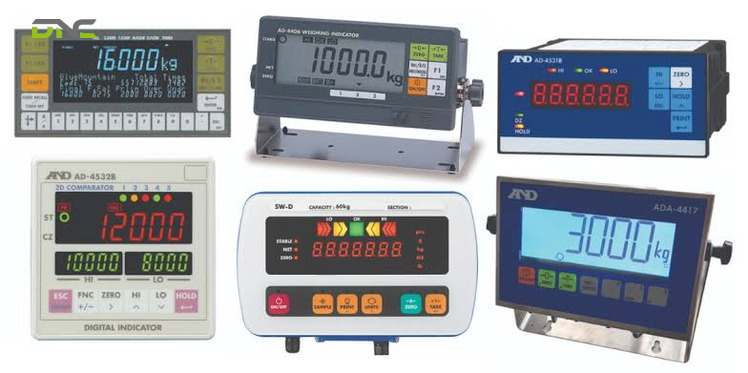
Trade approval applies to the complete instrument, so a legal-for-trade weighing system needs an approved indicator and an approved platform. Approval is required whenever materials or objects are sold by weight, under schemes including OIML and EC in Europe, NTEP in the United States, Measurement Canada, and NMI in Australia.
The mark is designed to be found quickly. Most trade-approved weighing devices carry a black “M”, and some suppliers show the approving body’s logo alongside it.
Approval region also reaches into the firmware. One indicator manual ships two builds – an international version reading g, kg and t (1 t = 1,000 kg / 2,204.6 lb), and a USA version reading kg and lb – because the unit set an instrument may display is part of what gets approved.
Weight is produced by the load cells in the platform and rendered by the indicator, so approving one half leaves the pair non-compliant. That failure surfaces at inspection rather than at commissioning, which is the expensive point in the sequence to discover it. Retail weighing, ingredient sales and outbound bulk shipments all sit inside this requirement.
Approval status is one of five specifications that decide whether a given indicator fits a given line at all.
Trade Approval Covers the Indicator and the Platform Together
Five Specifications Decide the Fit
Five specifications decide which indicator fits. Each one prevents a specific failure only when it is checked before the order is placed, and that failure is the part worth writing down beside the criterion.
The five indicator specifications are listed below in the order they are best checked.
- Compatibility with the existing cells and platform.Verify that the indicator works with the load cells, platforms and weighing systems already installed. Checking this last is how a specification exercise turns into a rewiring exercise.
- Capacity and resolution.Confirm the indicator handles the required weight range at the division size the process needs. Capacity alone prevents nothing in cases where resolution is coarser than the tolerance being controlled.
- Connectivity and integration.Match the port to the receiving system – serial to a printer, analog or fieldbus to a PLC, network to a plant historian. A missing port becomes a protocol converter later.
- Industry-specific features.Specify washdown protection for food processing, intrinsically safe design for hazardous atmospheres, counting or batching firmware for manufacturing. Retro-fitting a housing class is not possible.
- After-service coverage.Weigh maintenance response, spare-part availability and technical support alongside the purchase price, because those three determine downtime and equipment longevity once the unit is in production. Durability of the housing is a purchase specification; reliability over years is a service one.
DNC’s engineers work this list in the order given, and compatibility comes first for a practical reason: on retrofit projects the platform, the load cells and the cabling are already in the plant, and they define the boundary the new indicator has to fit inside.
Procurement teams tend to open with weighing capacity because it is the number on the quotation. Maintenance teams open with after-service because they own the consequence.
Compatibility is also the specification that decides whether the indicator and the platform are bought together at all.
Summary: The Specification and Approval Decisions
Three indicator decisions have been settled between the class table and this point, and they are the ones that appear on a purchase order.
- Display technology follows ambient light and power source; the communication port follows whichever system has to receive the weight afterwards.
- Trade approval covers the platform and the indicator as one instrument, and the approved unit set is part of what the certificate carries.
- Five specifications decide the fit, and compatibility with the installed cells and platform is checked first because it constrains the other four.
The remaining question is commercial rather than technical: whether the indicator and the platform are bought as one instrument at all.
The Specification and Approval Decisions
Separating Indicator and Platform Changes the Purchase
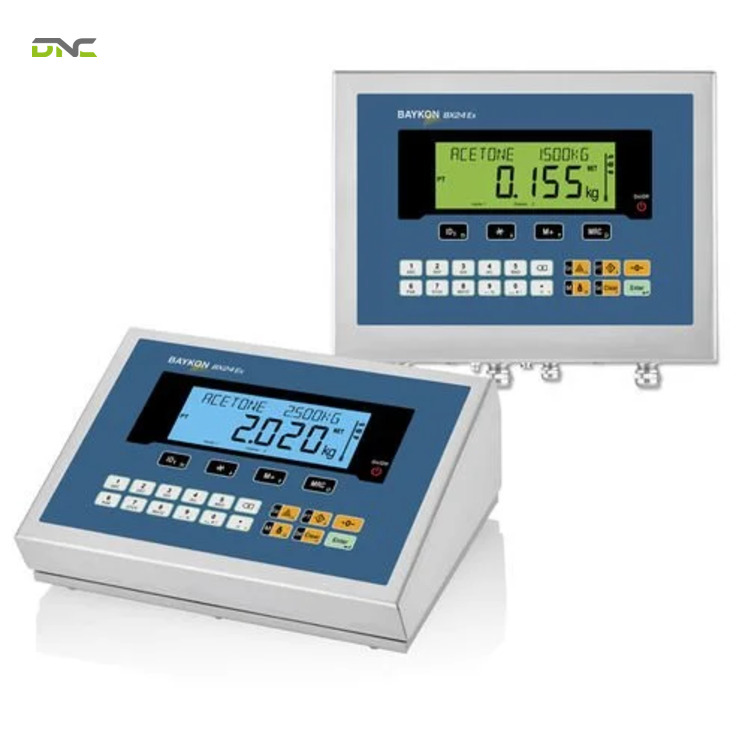
Separating the purchase buys specification fit, working distance and spare-part flexibility. Two suppliers give the same first reason: a separate purchase lets a platform be chosen for size and capacity while the indicator is chosen for features, so nobody pays for six functions when one is needed.
Physical distance is the second reason, and only one supplier states it. Livestock weighed in a natural habitat settles faster when staff stand back from the platform. Heavy or chemically hazardous loads are safer read from a distance. Both cases are solved by cable length, not by a different scale.
Fleet economics is the third. Operations running several platforms and indicators of one type find them easier to transport, store and hold as backups when the two halves are stocked separately – a spare indicator covers every platform of that class in the plant.
Beyond the purchase decision, the reason to specify the indicator carefully is what happens to the number after it appears on the display.
Separating Indicator and Platform Changes the Purchase
Weight Data Leaves the Indicator and Enters the Control System
Weight data leaves the indicator as a switch action, an analog process value and a logged record. Relay outputs close valves and stop feeders. Analog outputs at 4–20 mA or 0–10 V hand the weight to a PLC as a live variable. Digital protocols upload it to a SCADA layer where it is stored for traceability.
This is why the indicator is specified as a control component in an integrated line rather than as an accessory to a platform.
A checkweighing indicator that only lights a lamp tells one operator about one pack. The same indicator wired to the line controller holds a running average, and a filler upstream can be corrected before the next batch is made.
For Malaysian manufacturers the integration question has a funding dimension. Automation investment under NIMP 2030 favours plants that can evidence process control rather than plants that own equipment, and a weight record with a timestamp and a batch reference is precisely that kind of evidence.
Weight data that stops at the indicator display cannot be audited, and it cannot be used to justify a grant application.
Weighing rarely sits alone on a line. The indicator usually reports alongside the conveyor system that moves the product past it, and DNC specifies both together on end-of-line projects so that the reject signal, the conveyor logic and the plant network agree on what happened to each pack.
If your facility is specifying a weighing system, or replacing an indicator on an installed platform, talk to our engineers about the load cell and control interface before the hardware is ordered.
Weight Carries a Different Consequence in Every Industry
Each industry uses the same weight number to prevent a different loss. Grouping the applications by that consequence is more useful than listing them by sector.
Giveaway and consistency drive weighing in food, beverage, packaging and manufacturing. Food producers weigh for portioning, labelling and minimising giveaway; manufacturers weigh to maintain product consistency and reduce waste. Pharmaceutical lines weigh to confirm the tablet count corresponding to each bottle, and their indicators are sealed for the hygiene, cleaning and disinfection regimes those rooms run.
Overload is the consequence in transport and lifting. Logistics operations weigh loads to prevent overloading, optimise fuel use and bill accurately.
On cranes and hoists, one manufacturer’s description has the indicator monitor the suspended load in real time, raise an alarm at the load-bearing limit and cut lifting power to prevent an accident – a safety function rather than a measurement one, and the reason system integration for lifting equipment is treated as regulated work.
Dose accuracy governs healthcare and industrial batching alike. Healthcare and pharmaceutical use covers medication formulation, patient dosing and device calibration. In chemical and building-material production, the indicator monitors how much of each raw material has been added and controls the feed rate so the mix ratio stays inside tolerance.
Commercial fairness closes the set. Retail weighing exists to guarantee fair pricing and legal compliance, agriculture uses weight for livestock monitoring, crop pricing and feed management, and warehousing binds the weight to a scanned code so goods movements post themselves – the same record that keeps inventory management accurate without manual data entry.
Laboratory weighing sits slightly outside the production picture and belongs in it anyway. Universities and research laboratories weigh samples for experiments and chemical formulations, where the requirement is data integrity rather than throughput, and the logging and timestamp functions matter more than the relay outputs.
The consequence a plant is guarding against is what should drive the indicator specification, and the questions below are the ones that surface once that consequence is named.
Weight Carries a Different Consequence in Every Industry
Frequently Asked Questions About Weighing Indicators
The questions below cover the points that arise most often once a weighing indicator is being specified rather than described.
What is the difference between a weighing indicator and a scale?
A weighing indicator – sold interchangeably as a scale indicator or weight indicator – is the electronic device that converts and displays the signal, and a scale is that indicator plus the platform holding the load cells. The two are frequently sold separately so that capacity and features can be chosen independently.
Does a weighing indicator work with any load cell?
No. The indicator must accept the load cell’s output type and full-scale output range, so an analog indicator specified for a 0–30 mV input pairs with cells whose rated output falls inside that window. Digital cells require an indicator built to receive their data stream.
Is a trade-approved indicator enough for legal-for-trade weighing?
No, the platform requires approval as well. Approval schemes such as OIML, EC, NTEP, Measurement Canada and NMI cover the instrument as a whole, and trade-approved devices are usually marked with a black “M”.
What IP rating does a washdown weighing indicator need?
Washdown indicators are quoted between IP65 and IP69K, and the choice follows the cleaning regime rather than the industry name. IP69K, which comes from DIN 40050-9 rather than IEC 60529, covers high-pressure and high-temperature washdown; connectors and cabling must carry a matching rating.
How many readings per second does a weighing indicator take?
Published figures for industrial units run from 10 to 100 conversions per second, with batching and strain gauge models quoted at 100 readings per second and high-speed applications exceeding 1,000 Hz. Faster conversion shortens settling time, which matters on moving lines and not on static benches.
Can a weighing indicator send weight data to a PLC?
Yes. Indicators with a 4–20 mA or 0–10 V analog output hand the weight to a PLC as a process variable, and units with Modbus or Ethernet ports pass it to SCADA and plant historians as a logged record.
- 18 views
- 0 Comment
Recent Comments